
July 12, 2025
How to Show Up Like a Pro on Camera (Even from Your Living Room)
Category:
Podcast Insights, RAN Podcast
How to Show Up Like a Pro on Camera
A Guide to Podcast Recording Success
So you’re getting interviewed, joining a panel, or contributing video content…awesome! But here’s the thing: great content can still miss that mark if the lighting’s bad, your mic is picking up an echo, your background sucks, or your eye line is off. Frequently, we see MANY of these challenges combined!
You don’t necessarily need a studio, but you do need a few key pointers. This is the same checklist we give our amazing guests. If you want to show up like a pro, read on.
1. Look Them in their Digital Eye
DO NOT stare at yourself on the screen. Trust me – this step is hard! I still find myself looking at myself on my screen and thinking, “What is the deal with my hair?”, “Gosh, I look tired,” Why didn’t I close that door behind me?” and then a voice in my head roars, “LOOK into the camera, silly girl. That’s where your audience is!” If that feels weird, try a webcam prompter, use sticky notes to guide your eye, or buy a drop device to align the camera appropriately (I use this one: https://amzn.to/4nGZLsR). It changes how you’re perceived and makes the content more engaging.

Image from: Patricia Kelikani
2. Lighting Matters
DO:
- Light yourself from the front.
- Sit facing natural light (from a window) or a soft ring light.
- Test your setup on Zoom or Google Meet. Adjust and repeat until you look amazing!
DO NOT:
- Sit with a window behind you. Why? You will appear as if you are in witness protection and never truly engage with your collaborator.
- Have harsh overhead lighting— you know, the types in ugly offices that give you a headache.
- Be in a poorly lit, dark room that makes it hard to see you.
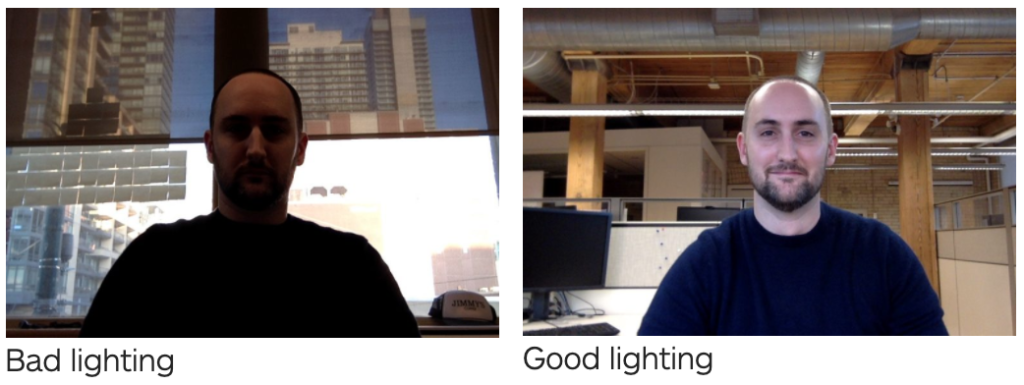
Image from: UCD Michael Smurfit Graduate Business School
3. Get Centered
Frame yourself in the middle. Eyes about ⅓ from the top of the screen, mid-chest up. This helps you avoid being too zoomed in or far away from the camera.
If your camera is angled up at you (aka looking up your nose), raise it with a laptop stand, a stack of books, or whatever you have on hand. You want to look across at the viewer, not down at them (or worse, have them look up your nose).
You want to look intentional, not accidental.
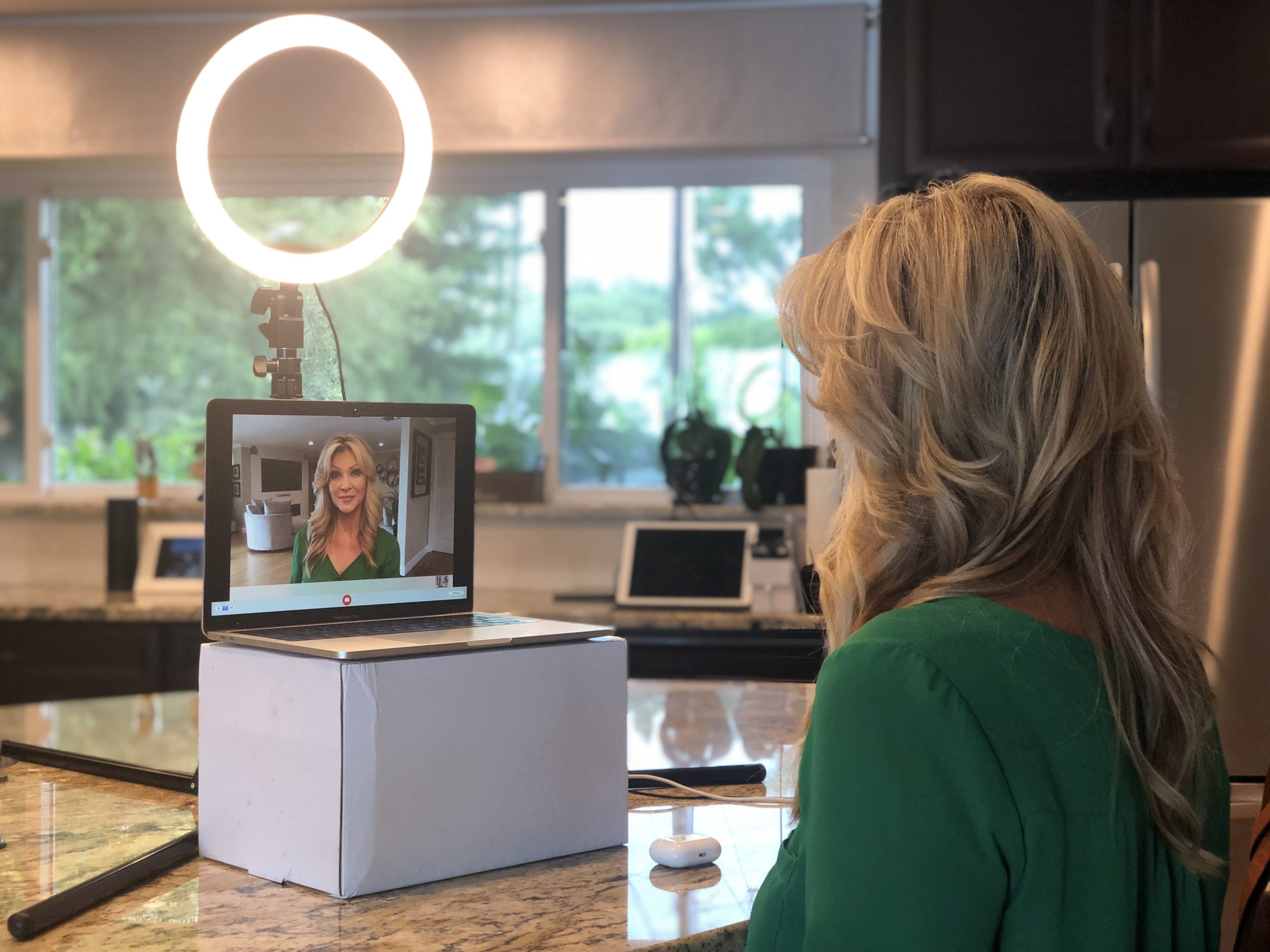
Image from: Lea Little
4. Backgrounds Matter
Your background shouldn’t distract. There should be no piles of laundry or clutter. A plant, bookshelf, or art piece adds polish.
PLEASE avoid virtual backgrounds. Unless you’re using a green screen and perfect lighting, they tend to look crappy.

Image from: Linda Lee
5. Sound = Credibility
So you can hear:
Use headphones or earbuds. This ensures that your interviewer’s questions go straight to your ears through the earbuds rather than going out of the laptop speaker and potentially picking up in your own microphone. These are our headphone faves.
So you can be heard:
Don’t rely on your laptop’s built-in microphone. It may be good enough for your weekly Teams/Zoom meeting, but it’s not high enough quality for a podcast interview.Buy an external mic like this to eliminicate echo, ambient noise, and whatever that dog upstairs is doing,
Image from: Riverside
6. Noise Happens
Tell your household to close the windows, mute alerts, and stay out of the kitchen below you, for the love of all things amazing!
If you’re near construction or traffic, record at the quietest time of day. Quiet = Badass.
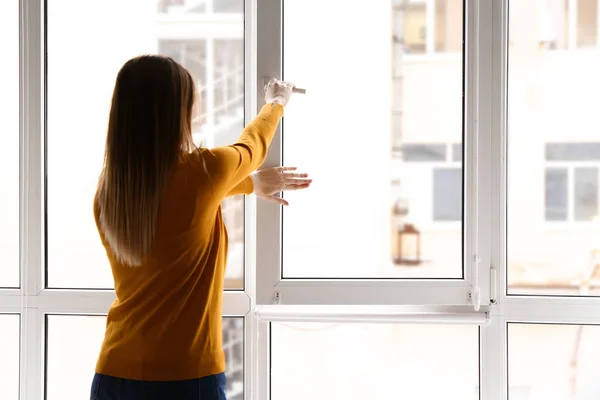
Image from: Deposit Photos
7. Dress The Part
Want to get more out of your recording session? Switch up your wardrobe. Different outfits allow for diverse clips, contexts, and content options. If you’re wearing the same button-up in every single interview, it will be harder for you to repurpose the content in the future, as it will all look like it’s coming from one event, even if it isn’t.
KEYs:
- Patterns/Colors: Avoid loud patterns, overly bright whites, or colors that blend with your background. Pick tops that are solid colors and flattering. Perhaps take some time with a color wheel and see what colors really pop on you and do not conflict with your background.
- Jewelry: Avoid loud, distracting jewelry, like a big necklace that jangles every time you move and creates glitches when it hits your microphone.
Side Note: Sadly, you can see my weight gain in these photos. We are not adding that as a tip, but it is clear we didn’t record these at the same time. Okay, back to the gym for me!

Image from: The Badass Leaders Podcast
8. Camera Quality
I’m sure your laptop’s webcam is “great,” but if you want professional polish, it isn’t going to cut it. An external camera can make a world of difference and is worth the investment.
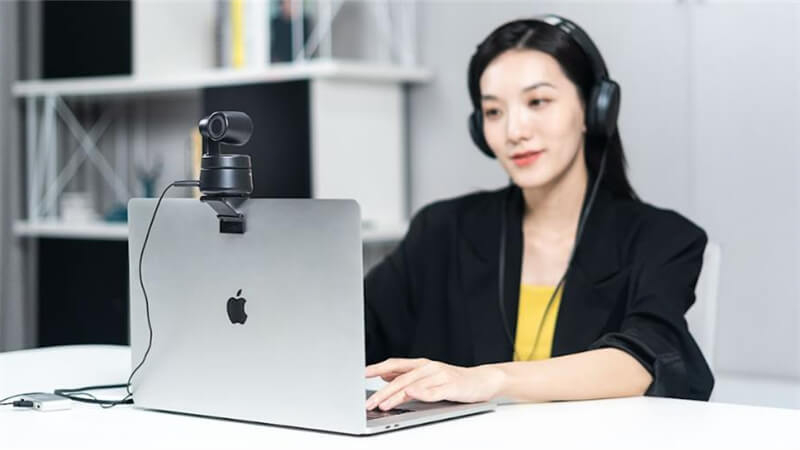
Image from: Obspot
9. Practice
Test everything before you go live. Use Zoom or Loom to record and playback. You’ll spot the tiny tweaks that make a massive difference.
Bottom line: If you’re showing up for something important, treat it like it’s important. These adjustments are inexpensive and take 10 minutes, and the polish they add will make your message stick and your credibility rise.
Every day, Be Brave Be BadassTM
Need help setting yourself up for podcast success? Email us at brave@angelagillnelms.com for coaching, consulting, and podcast production.
Want the full checklist? Check out our Guest Success Pro Guide here.
Featured Posts
Start Here (Don’t Scroll Forever)
If you’re new, begin with a few of the most impactful insights on leadership, execution, and building teams that actually perform.

Building Your A-Team: Who You Need in Your Corner for Leadership Success
Building Your A-Team Who You Need in Your Corner for Leadership Success By: Angela Gill Nelms In the high-stakes...

Stop Doing It All: The Best Leaders Build Leaders Already On Their Team
Stop Doing It All: The Best Leaders Build Leaders Already On Their Team Learning how to delegate and empower your...

7 VIRTUAL Team Building Activities
7 Fun and Effective Virtual Team Building Activities: Remote & Hybrid Teams with free downloadable templates If you’re like...

From Conflict to Cohesion: 8 Badass Strategies for Turning Challenges into Success Stories
From Conflict to Cohesion 8 Badass Strategies for Turning Challenges into Success Stories Let’s talk about conflict. Yeah, conflict...

Comments